


PDF File Reader
3.4140.00 Reviews
App Specs
- Version
- 1.2.0
- Updated On
- License
- Free
- Downloads
- 10,000,000+
- Developer
- Dream Tools
- Categories
- Productivity
- Platform
- Android
Screenshots
 Analysis by AppCompare
Have you ever found yourself in a pickle trying to open a PDF file on your phone, especially when you’re in a hurry? Well, enter PDF File Reader! This app is like having a Swiss army knife for PDFs right in your pocket. I decided to give it a whirl and here’s what I think.
First Impressions
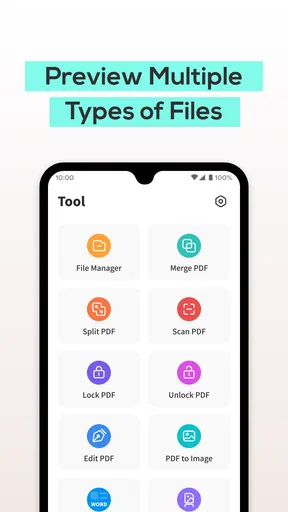
When you first download PDF File Reader, you’re greeted with a clean and intuitive interface. No fuss, no muss. It’s straightforward, which is fantastic because, let's face it, who wants to spend time figuring out a complicated app? The home screen is neatly organized, allowing you to dive right into your files.
Navigating the App
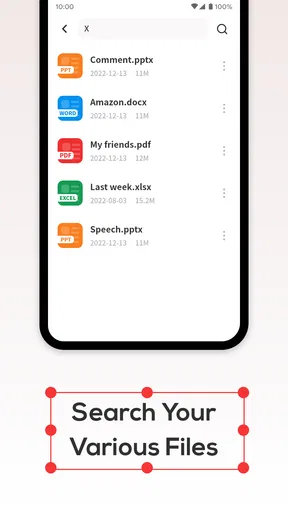
Getting around is a breeze. There’s a handy menu that lets you access recent files, and you can even categorize them into folders. This is a lifesaver if you're like me and have a ton of documents scattered everywhere. The search function is lightning-fast, so you’ll never waste time hunting for that one elusive file.
Reading PDFs
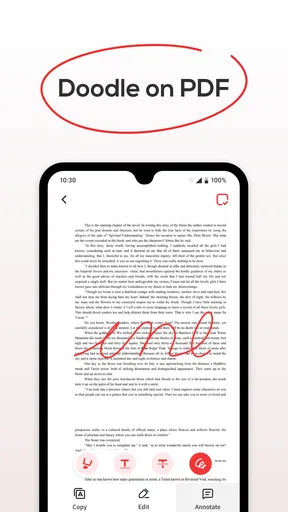
Once you open a PDF, the reading experience is seamless. You can zoom in and out with ease, and the text remains crisp and clear—no pixelation here! The app supports multiple viewing modes, including night mode, which is easy on the eyes when you’re reading late at night. Highlighting text and adding notes are as simple as a tap, making it perfect for students and professionals alike.
Additional Features
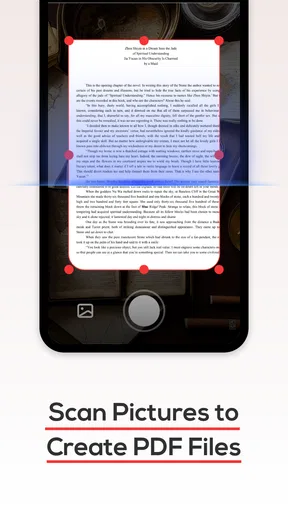
One of the standout features for me is the ability to annotate directly on the PDF. You can add comments, draw shapes, and even sign documents digitally. This transforms your phone into a mini office. There’s also an option to merge multiple PDFs, which is great for organizing related documents.
If you’re worried about security, the app allows you to set passwords on sensitive files. This is a nice touch, especially if you’re handling confidential information.
Performance
PDF File Reader runs smoothly, even on older devices. I was pleasantly surprised by how quickly it opened large files without any lag. Battery consumption is minimal, which is a plus if you’re using it on the go. The app doesn’t hog your storage space either, so you won’t have to worry about running out of room for other apps.
Worth Reading Before You Choose

Flipboard Shows What News Apps Must Do Beyond the Feed

Switching to Android Auto Means Rethinking Your Driving Routine

Google Calendar Makes a Crowded Week Easier to Manage

Ludo King Makes the Most of the Minutes Between Plans

Baby Panda World Brings Quick Play to Modern Phones, but Its Game Library Feels Busy

ESPN’s Live Game View Makes Following Close Games Easier
Final Thoughts
All in all, PDF File Reader is a solid choice if you need a reliable and efficient tool for handling PDFs. It covers all the basics and then some, with features that rival even some desktop applications. If you’re constantly working with PDFs, this app is a must-have. It’s like having a portable office, making your life just a tad bit easier. So, go ahead, give it a download, and see how it transforms your PDF experience!
Pros
- Supports various file formats.
- Offers annotation tools for editing.
- User-friendly interface design.
- Fast file loading and rendering.
- Offline access to saved files.
Cons
- Ads can be intrusive at times.
- Limited features in free version.
- Occasional crashes with large files.
- Requires permission for storage access.
- No cloud integration in basic version.
FAQs for PDF File Reader
What features does the PDF File Reader offer?
The PDF File Reader offers a variety of features including viewing, annotating, and sharing PDF documents. Users can highlight text, add comments, and fill out forms. The app also supports cloud storage integration, allowing users to access files from services like Google Drive and Dropbox. Additionally, it offers text search for easy navigation.
Is the PDF File Reader compatible with all devices?
Yes, the PDF File Reader is designed to be compatible with both Android and iOS devices. It supports a wide range of operating system versions, ensuring that most smartphones and tablets can run the app smoothly. However, it's recommended to check the specific OS requirements in the app store before downloading.
Does the PDF File Reader allow offline access?
Absolutely, the PDF File Reader allows users to download documents for offline access. This feature is particularly useful for those who need to access PDFs while traveling or in areas with limited internet connectivity. Users can store files locally on their device and view them at any time without needing an internet connection.
How secure is the PDF File Reader?
The PDF File Reader prioritizes user security by offering features like password protection and encryption for sensitive documents. It also supports secure sharing options to prevent unauthorized access. Regular updates ensure that the app is protected against the latest security threats, providing a safe environment for managing PDF files.
Is there a free version available for the PDF File Reader?
Yes, the PDF File Reader offers a free version that includes basic features like viewing and annotating PDFs. However, some advanced features, such as cloud storage integration and advanced editing tools, may require a premium subscription or one-time purchase. Users can choose based on their needs and budget.


